

Upcoming Feature | Secure Payment Link
With Floranext’s Secure Payment Links for FloraPay Point of Sale, customers placing orders by phone can pay securely without sharing their credit card information over the phone.
Simply take the customer’s order, send them a Secure Payment Link, and let them enter their payment details securely online. No need to ask for credit card numbers or manually key in card information.
In this article, we’ll explain how Secure Payment Links work and how to use them for phone orders.
Table of Contents:
- Placing Secure Payment Link Orders
- Secure Payment Link on the Order Details Page
- Frequently Asked Questions
Placing Secure Payment Link Orders
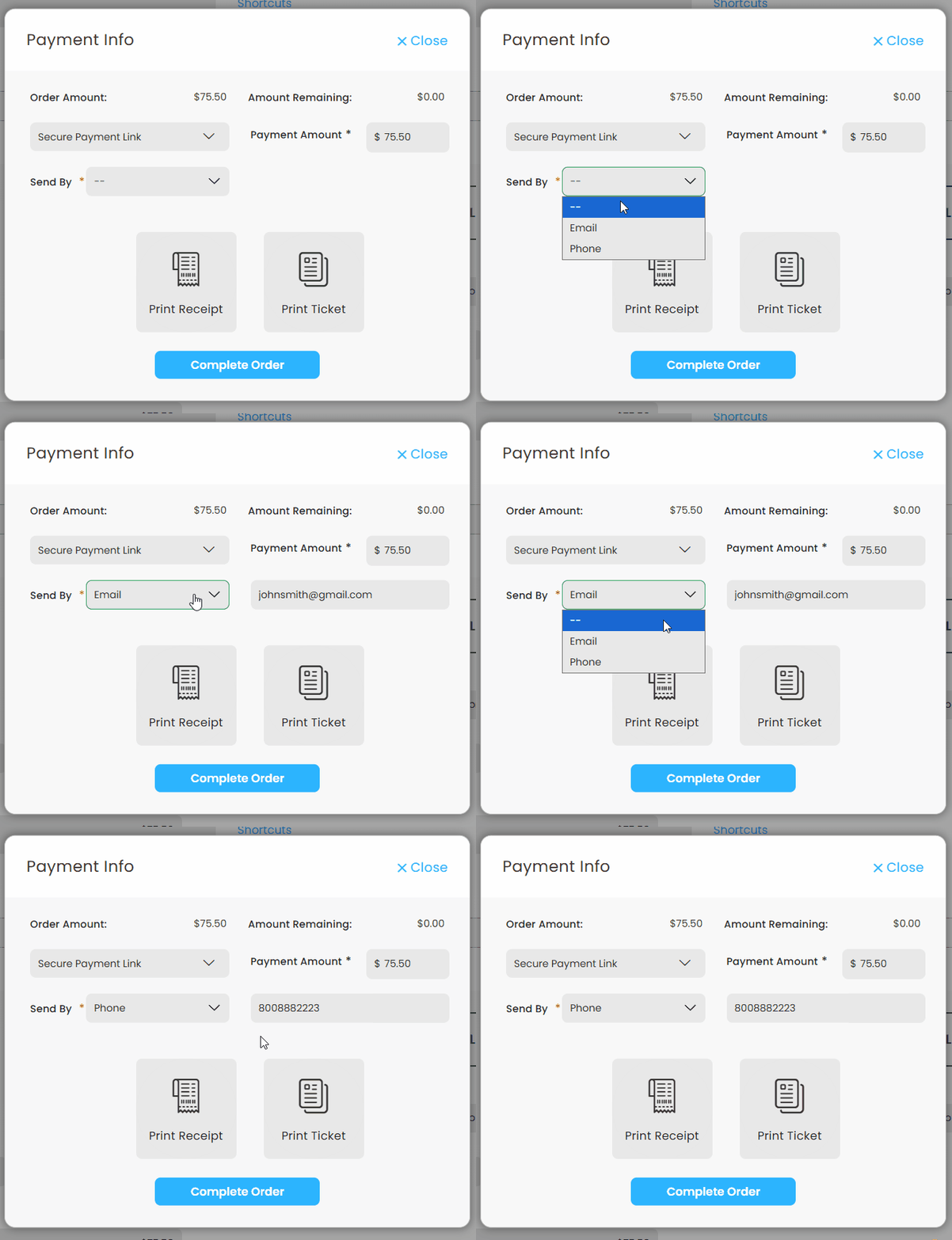
To send a Secure Payment link to your customer, fill out the order and then select Secure Payment Link as the payment method.
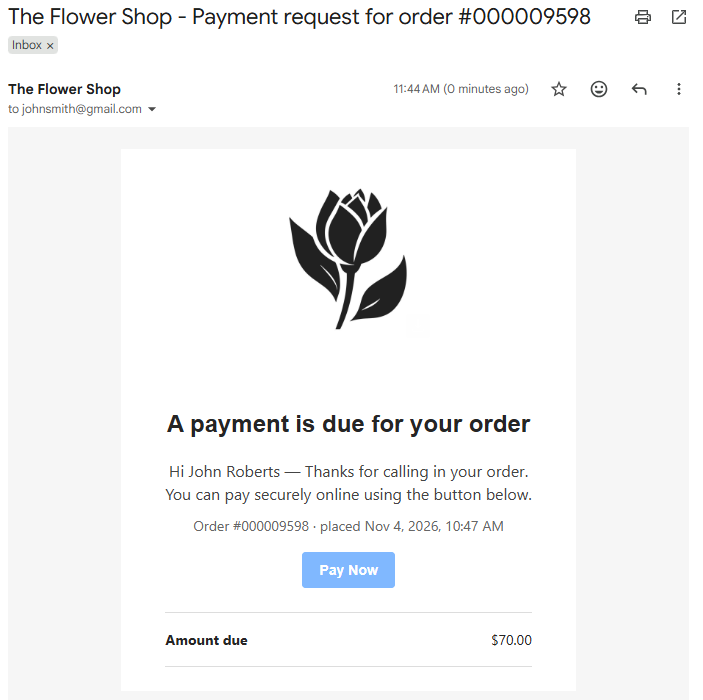
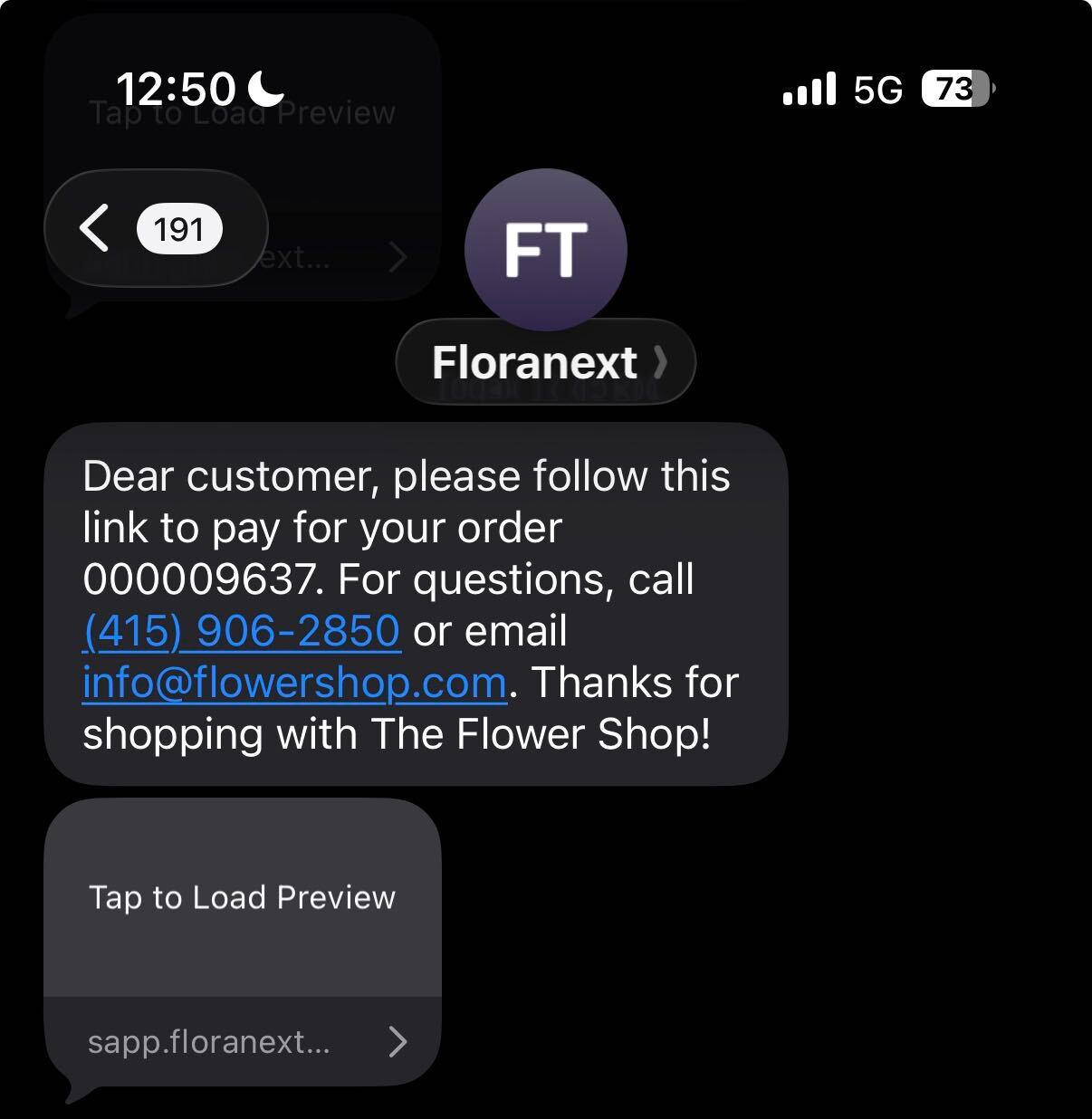
You may send the link either by Email or text it to your customer with the Phone option.
Note: The Email/Phone fields can be automatically filled in if the respective fields were filled out in the Customer Info section
Emailed Link:
Text Examlpe:
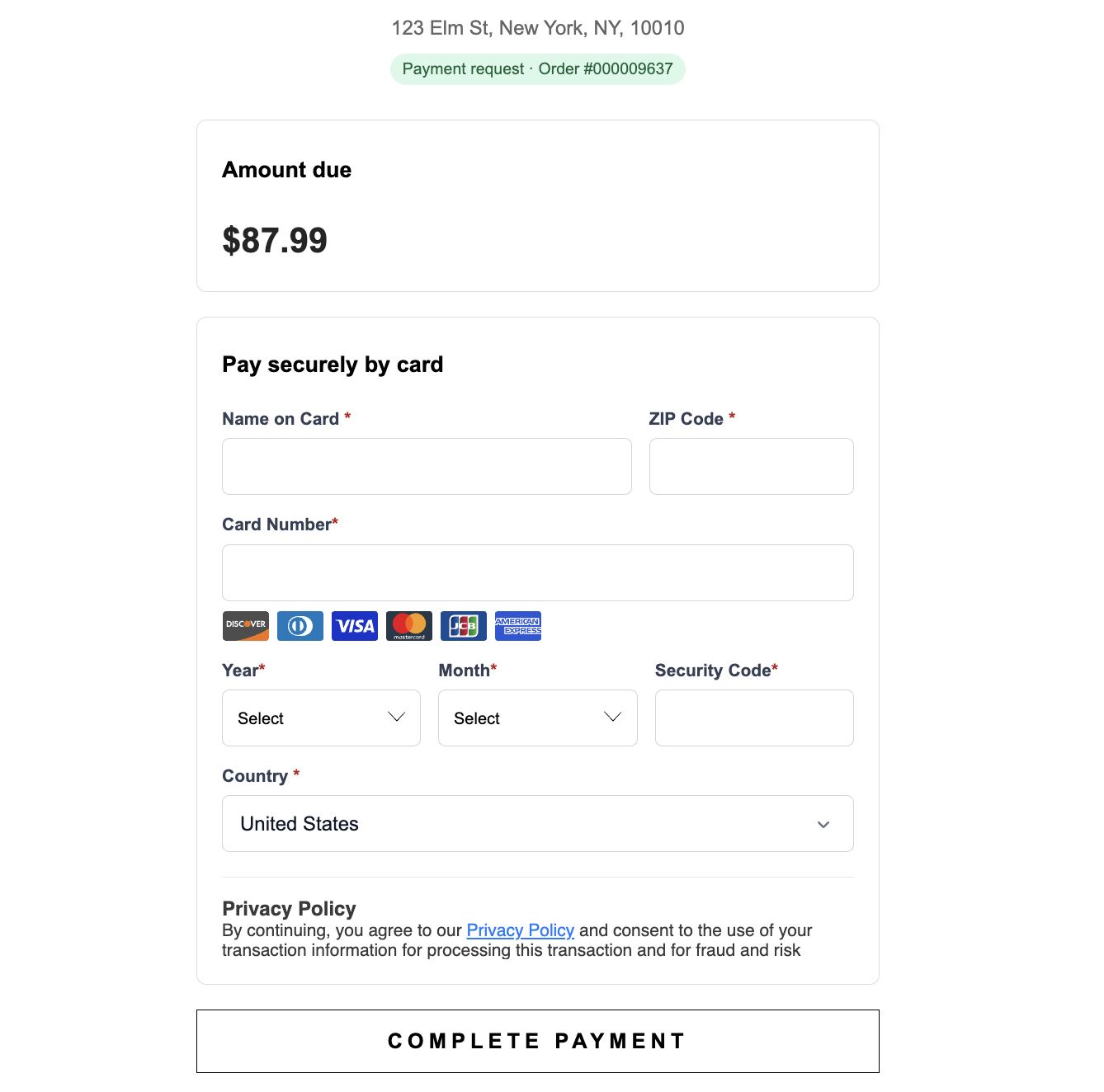
Payment Page:
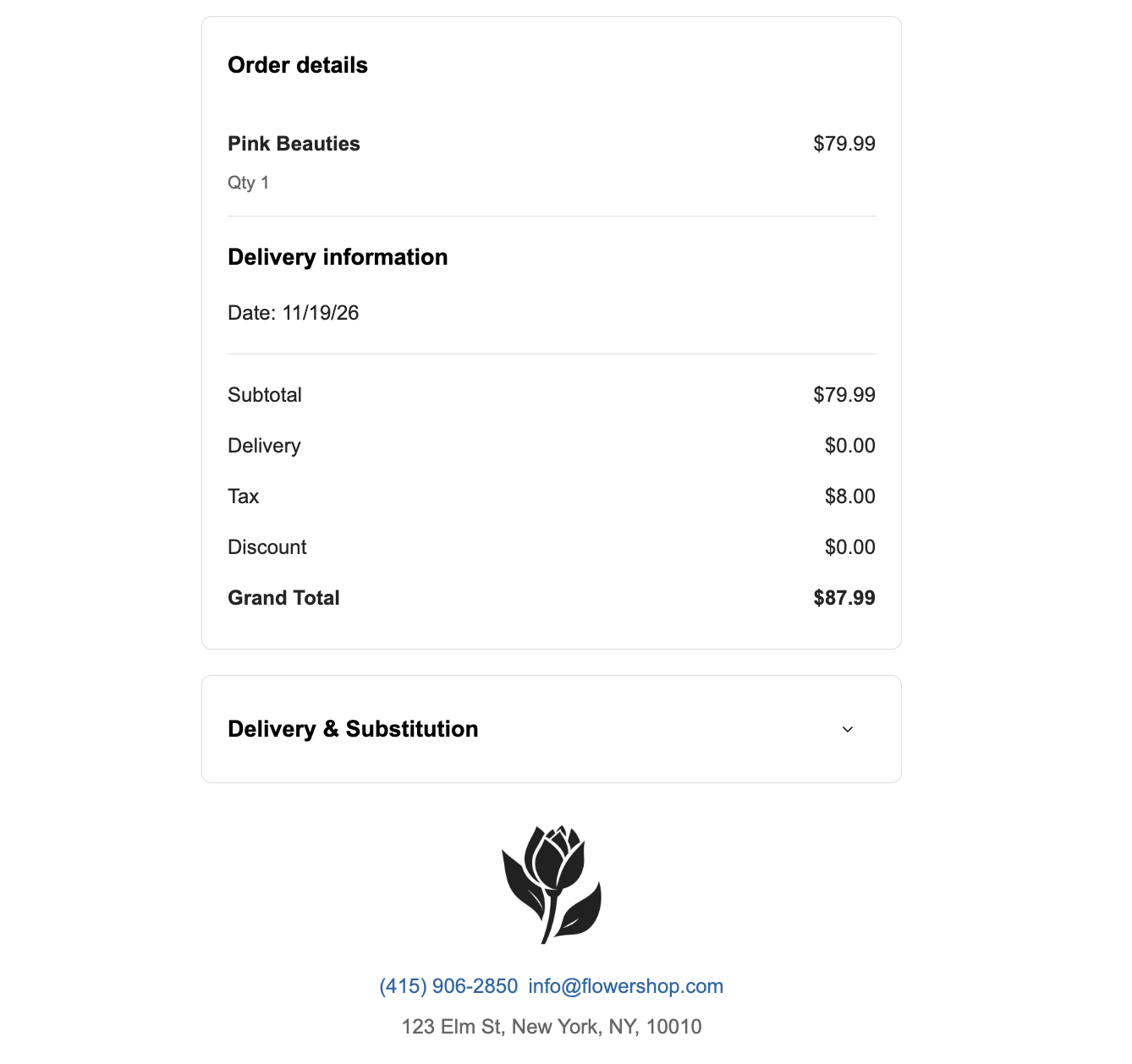
Notes:
- Secure Payment Link can also be used when processing COD orders, duplicating order, and processing subscription/standing orders.
- A payment link expires after 2 weeks time to avoid security risks. An expired link does not mean the order has been canceled or refunded.
- You can resend a payment link at any time. When resending a link, the previously sent link with expire. This will also reset the 2 week expiration window.
Secure Payment Link on The Order Details Page
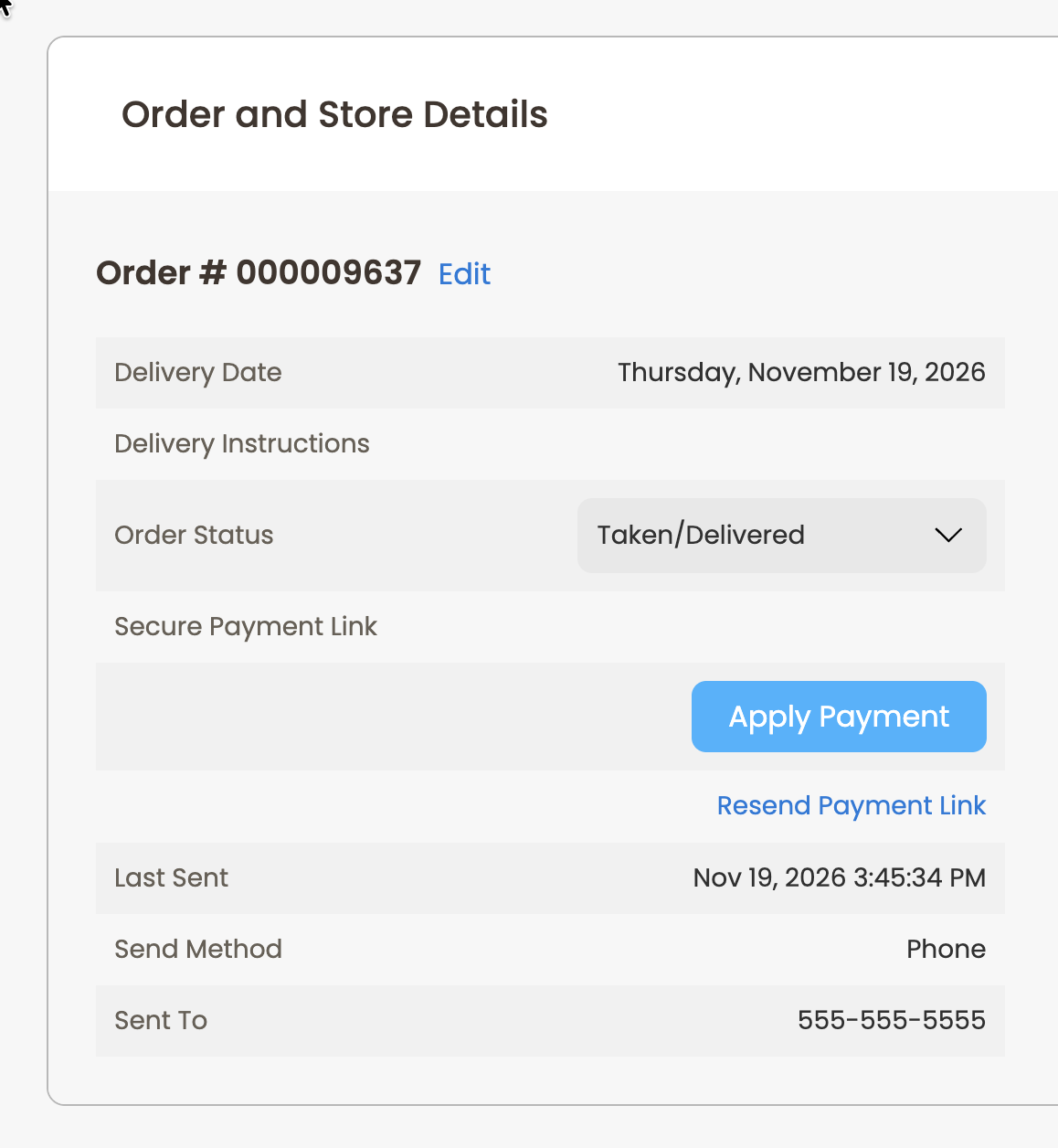
On the Order Details page you may check the status of the payment, resend a link to the previous or a new phone number or email, see a history of times you've sent the link, or even pay the order off directly.
Under the Order and Store Details section you can see the Secure Payment Link payment method and it's two options:
- Apply Payment - This will let you treat the order like a COD and manually apply the payment to the order.
- Resend Secure Payment Link - This option will let you send the payment link to your customer again. As with the Take Order version you will be able to select the method the link is sent to the customer
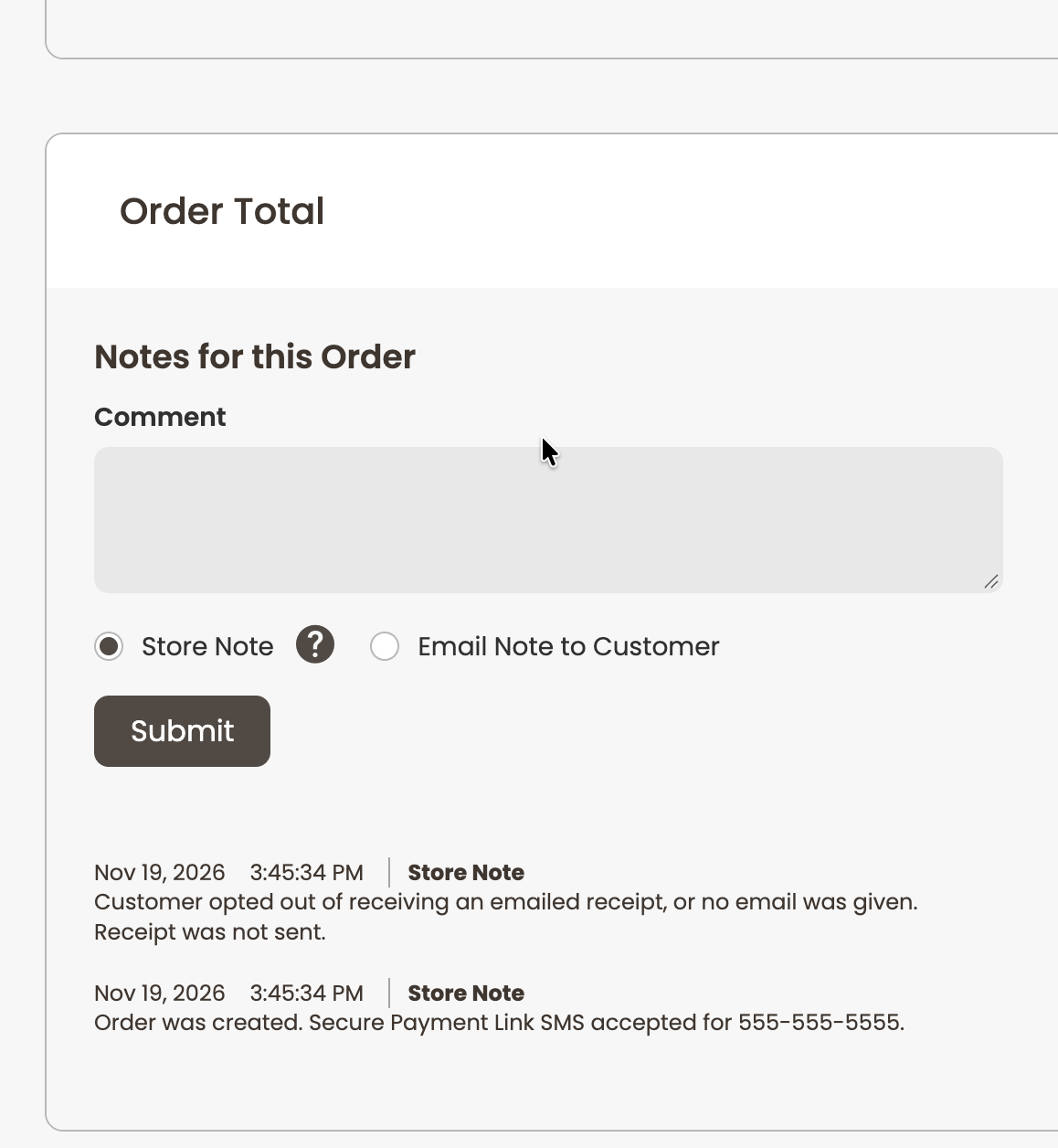
The Notes for this Order section of the page will allow you to view items such as how the link was sent and where it was sent.
Q: How long does the Secure Payment Link last?
- A: The link will expire after 2 weeks to prevent abuse. Resending the link will generate a brand new link.
Q: What if my customer decides to pay in person?
- A: You may pay with any payment method in person at any time after sending the link. The link will expire after it is paid.
Q: Where can I send a Secure Payment Link from?
- A: By selecting Secured Payment Link as your payment method, you may currently send a Secure Payment Link from the Take Order Page, on COD orders, Subscription orders, and while Duplicating an order.

