

In this article we will briefly go over Floranext's support codes, a way for you to know you are speaking with a Floranext agent.
Learn how support codes work and how to use them.
Table of Contents:
How to Locate Your Support Codes
To find your Support Codes all you need to do is perform the following steps:
- Go to your POS dashboard
- Click your account icon in the top right corner of the screen
- Click Support Code
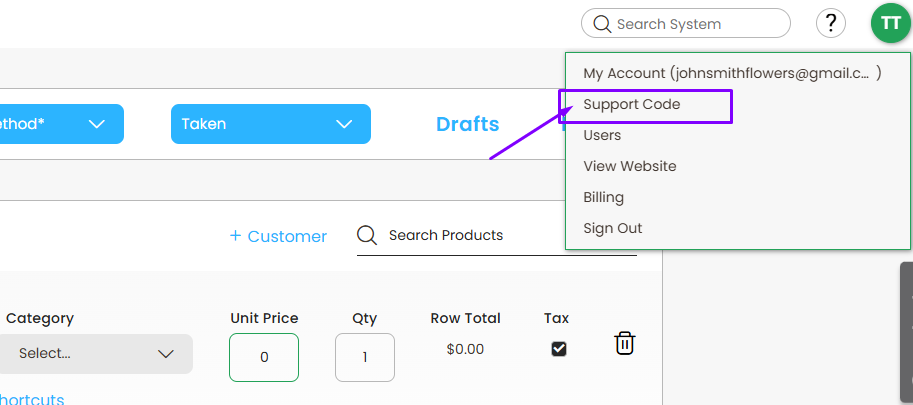
Once you have done that you will be able to view your Support Codes.
Note: These codes will be automatically updated every 15 minutes for security purposes

With Floranext's new Support Codes feature you can easily verify that the person you are talking to is an actual Floranext Support agent.
If you receive a phone call from anyone claiming to be Floranext perform the following steps:
- Ask them to provide the Agent Code
- Go to your Support Codes
- Confirm that the code they provided matches the one on your end
If the code they provided does not match the Agent Code on your Support Codes popup end the call and reach out to Floranext through your usual support channel.

