Floranext's Cookies Popup allows customers to manage their cookie settings for your website while also keeping the essential services on your site up and running.
Table of Contents:
The Cookies Popup appears when customers first visit your website and gives them the option to either Accept All cookies on your site or to Reject Optional cookies. Accepting All cookies may include Floranext support analytics tools such as Google Analytics, Google Adwords or Google Tag Manager. Rejecting Optional cookies leaves essential cookies and scripts enabled that are required keep your website's shopping cart and checkout running. When your customer interacts with the cookies popup their settings until their session ends.

How to Enable The Cookies Popup
To enable the Cookies Popup on the website of a shop you will need to perform the following steps:
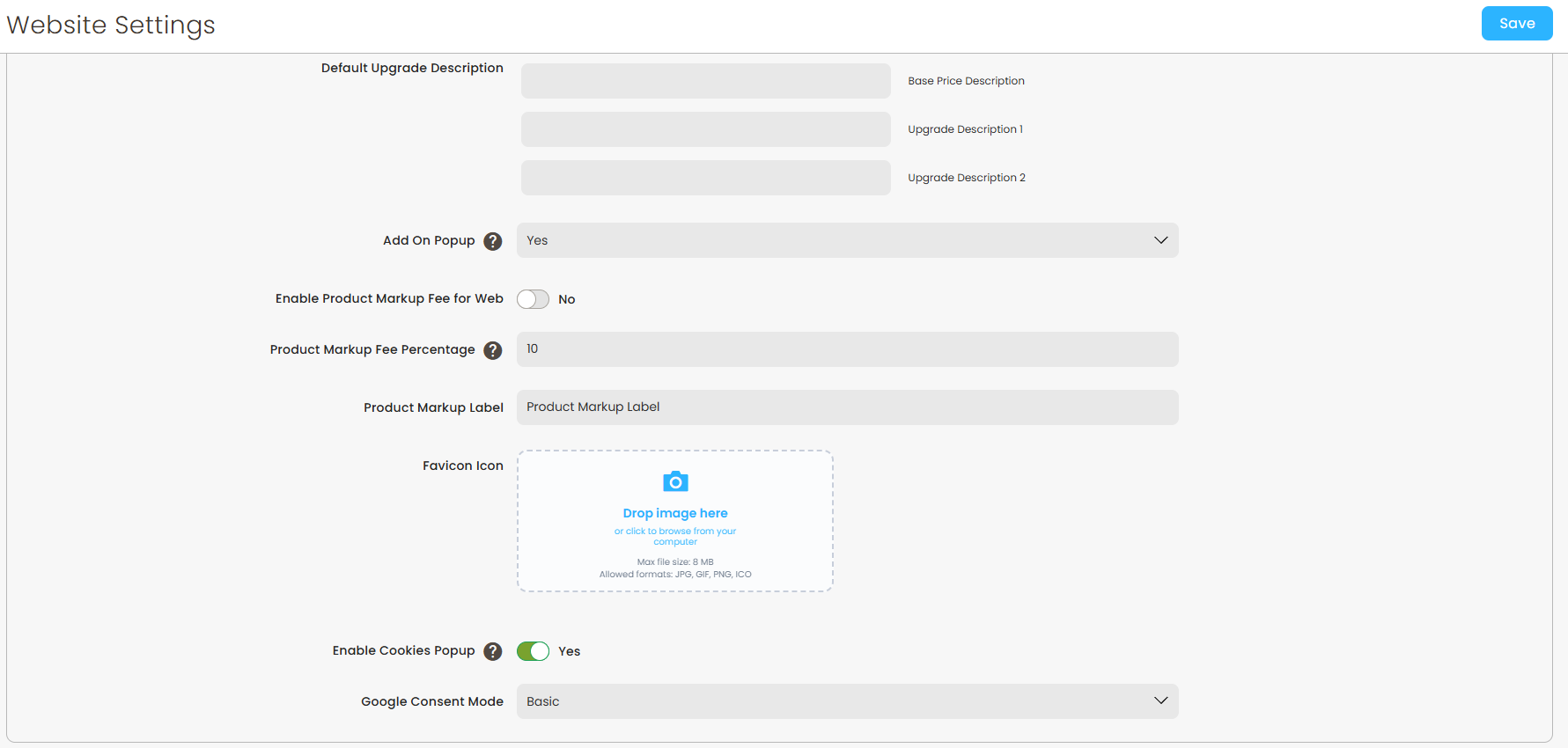
- Go to Settings > Website Settings > Advanced
- Enable the Enable Cookies Popup setting
- Click Save
After you have clicked save all new customers visiting the shop's website should now see the Cookies Popup.
Important Note: if you are managing any 3rd party scripts or integrations outside of the Google Tag Manager, they may not be turned off when a customer requests to disable optional cookies. To ensure any scripts are disabled when requested make sure they are set via the Google Tag Manager See this article for more information.
Google Consent Mode
When setting up your Cookies Popup will have the option to choose between two versions of the Google Consent Mode, a feature offered by Google for how to manage their Google Analytics, Adwords and Tag Manager services. You may select beween:
- Basic - When Basic Consent Mode is enabled Google will not load their services until the Accept All button is clicked on the Cookies Popup.
- Advanced - When Advanced Consent mode is enabled Google will load their services, but only track analytic information if Accept All is selected.
For more information on Google's Consent Modes you may refer to their documentation here.
Note: 3rd party scripts added to your website that are not supported by Floranext will not be managed by the Cookies Popup.