

With Floranext's Subscription Products feature you can subscriptions for any product on your website! With Subscription Products your customers can easily subscribe to their favorite products allowing you to earn more over time.
Table of Contents:
- How to Enable Subscription Products
- Subscription Products on your Website
- Frequently Asked Questions
How to Enable Subscription Products
To get started, navigate to Website > Subscription Settings > Website Product Settings.
Here you will find:
- Allow Subscription For All Products - When enabled, you will see the option to allow for a product to be a subscription on the Products, Categories and Product Edit pages. When disabled, products will no longer show the option for subscription on your website. Note: This will also hide the product setting.
-
To incentivize subscriptions over one-time purchases, you may set a percentage discount that will apply to product's price on subscriptions only.
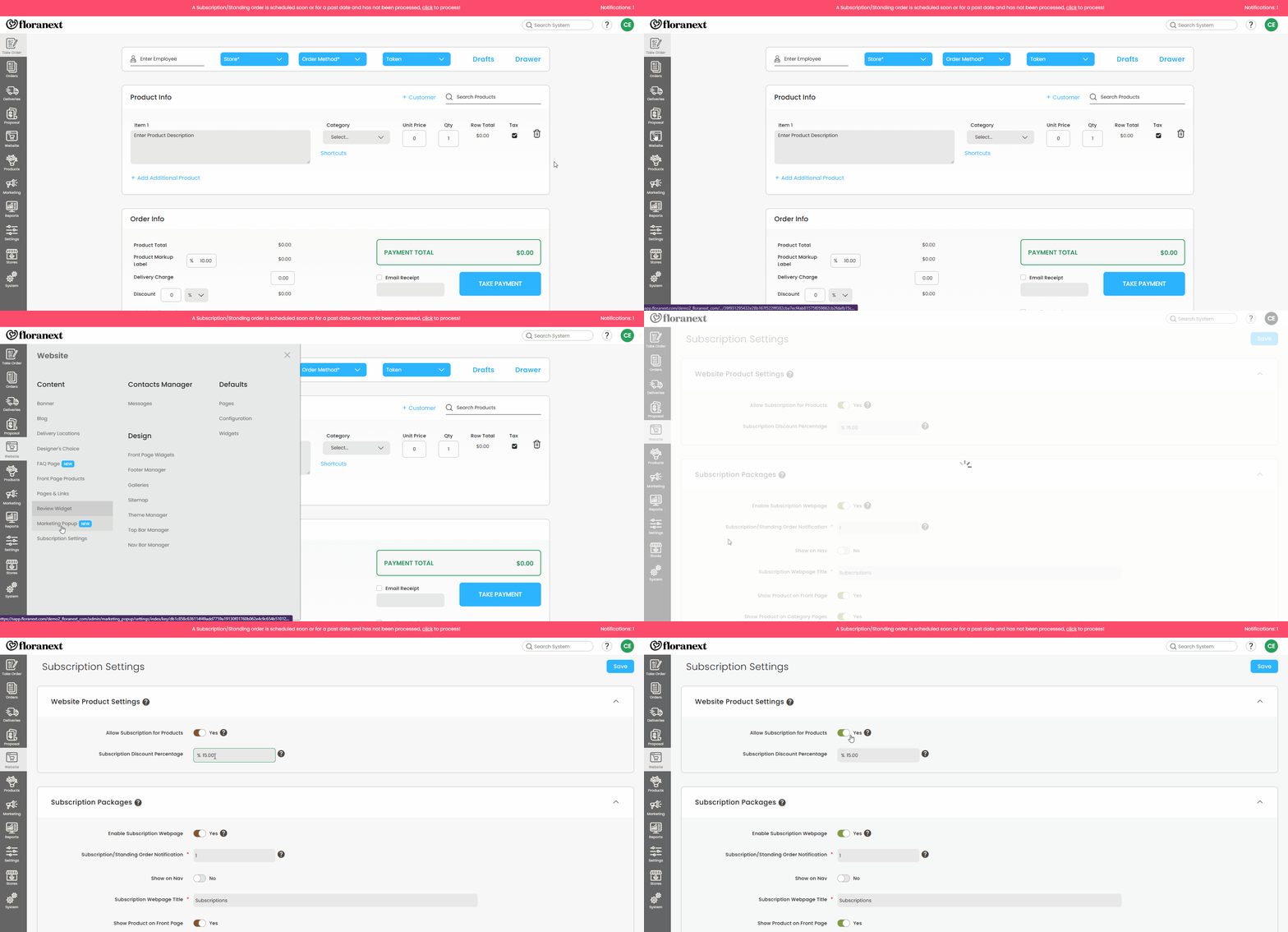
With Allow Subscription For All Products enabled you can begin setting up your products for subscription. You can do this from the following locations:
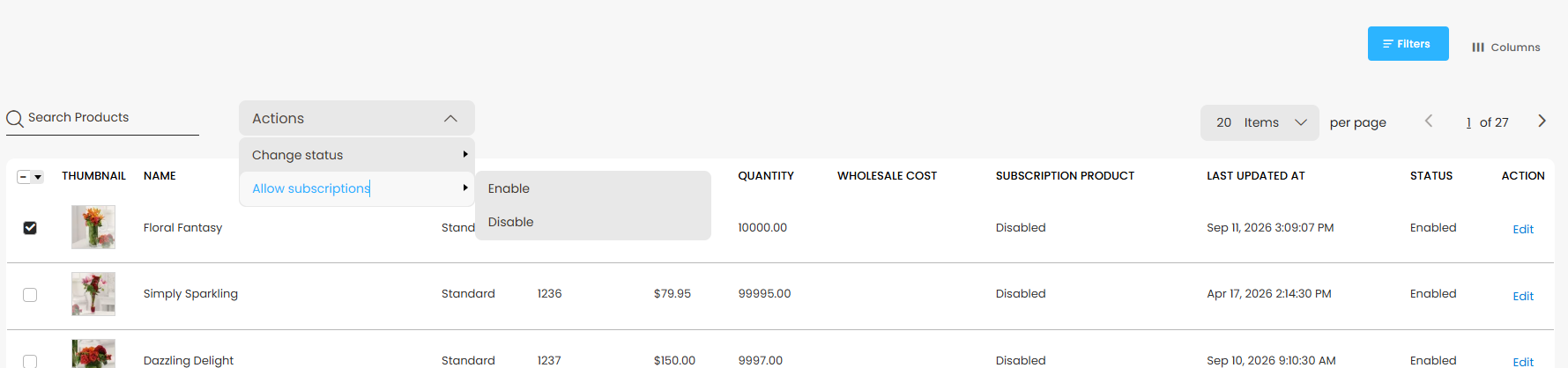
Products:
- Enable in bulk by selecting the checkbox on the left of the table, then selecting Actions > Allow subscriptions > Enable.
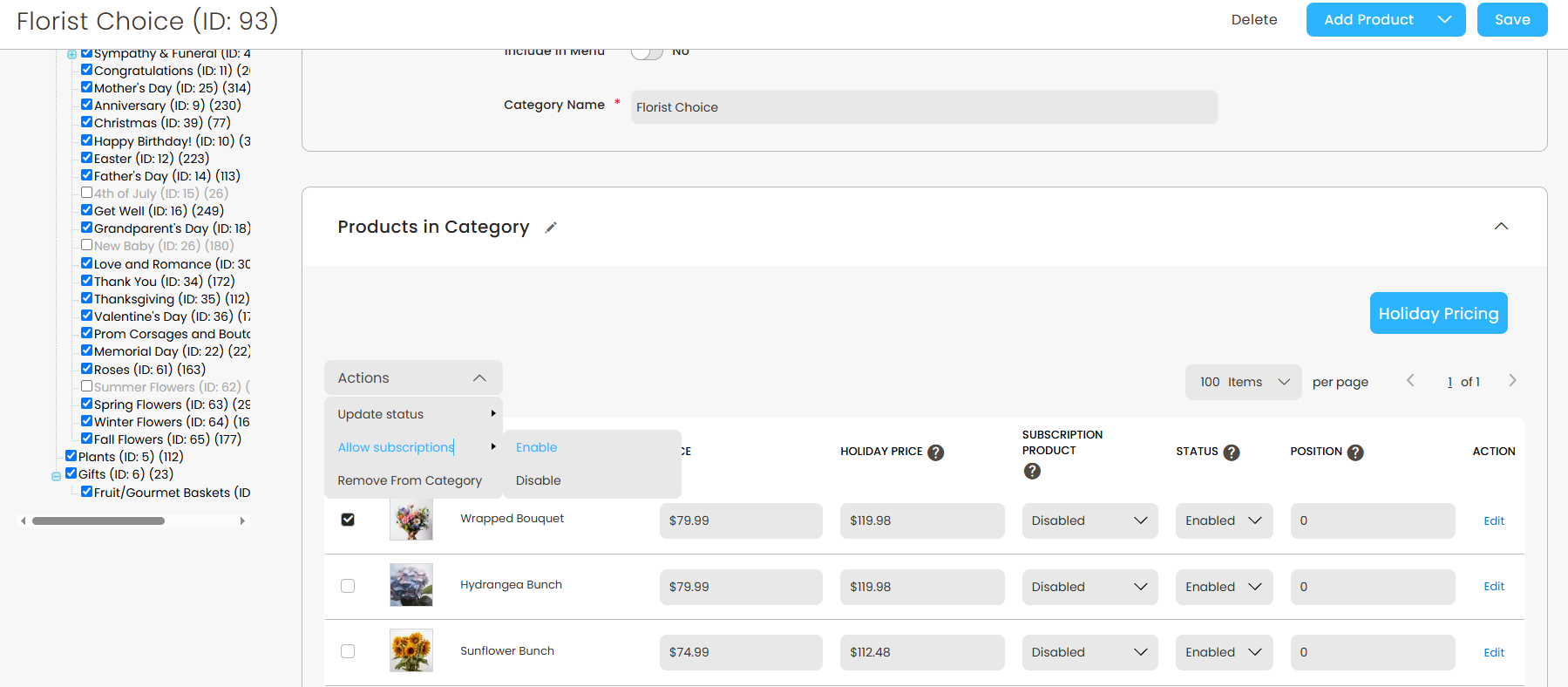
Categories:
- Navigate to the category of products you'd like to end then enable in bulk by selecting the checkbox on the left of the table, then selecting Actions > Allow subscriptions > Enable. Or edit a single product at a time with the Subscription column's Enable/Disable status, then Save the page.
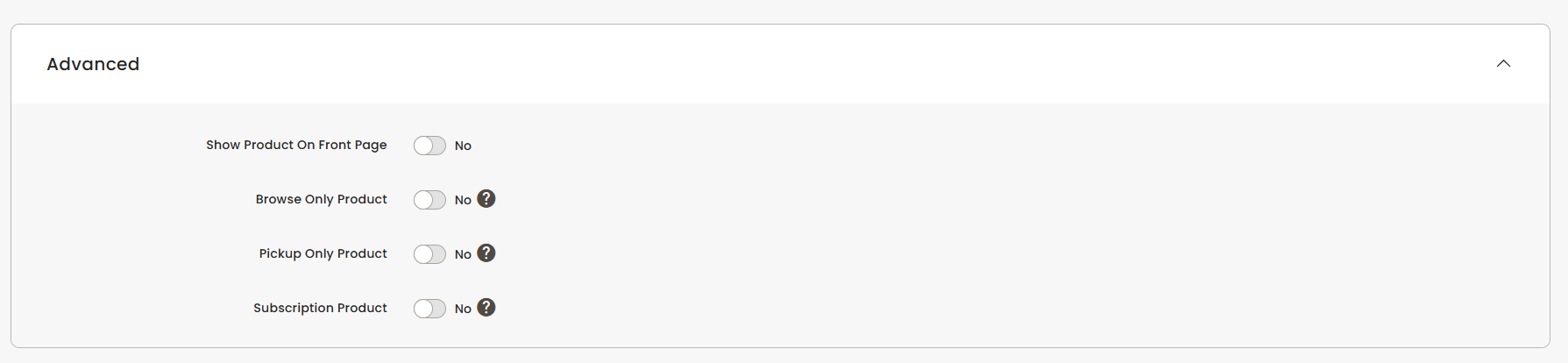
Product Edit Page:
- You may also enable the Subscription Product setting under the Advanced section.
Subscription Products on You Website
With a product set for Subscription, its product details page will include a new option to select between for a One Time Purchase or to Subscribe & Save.
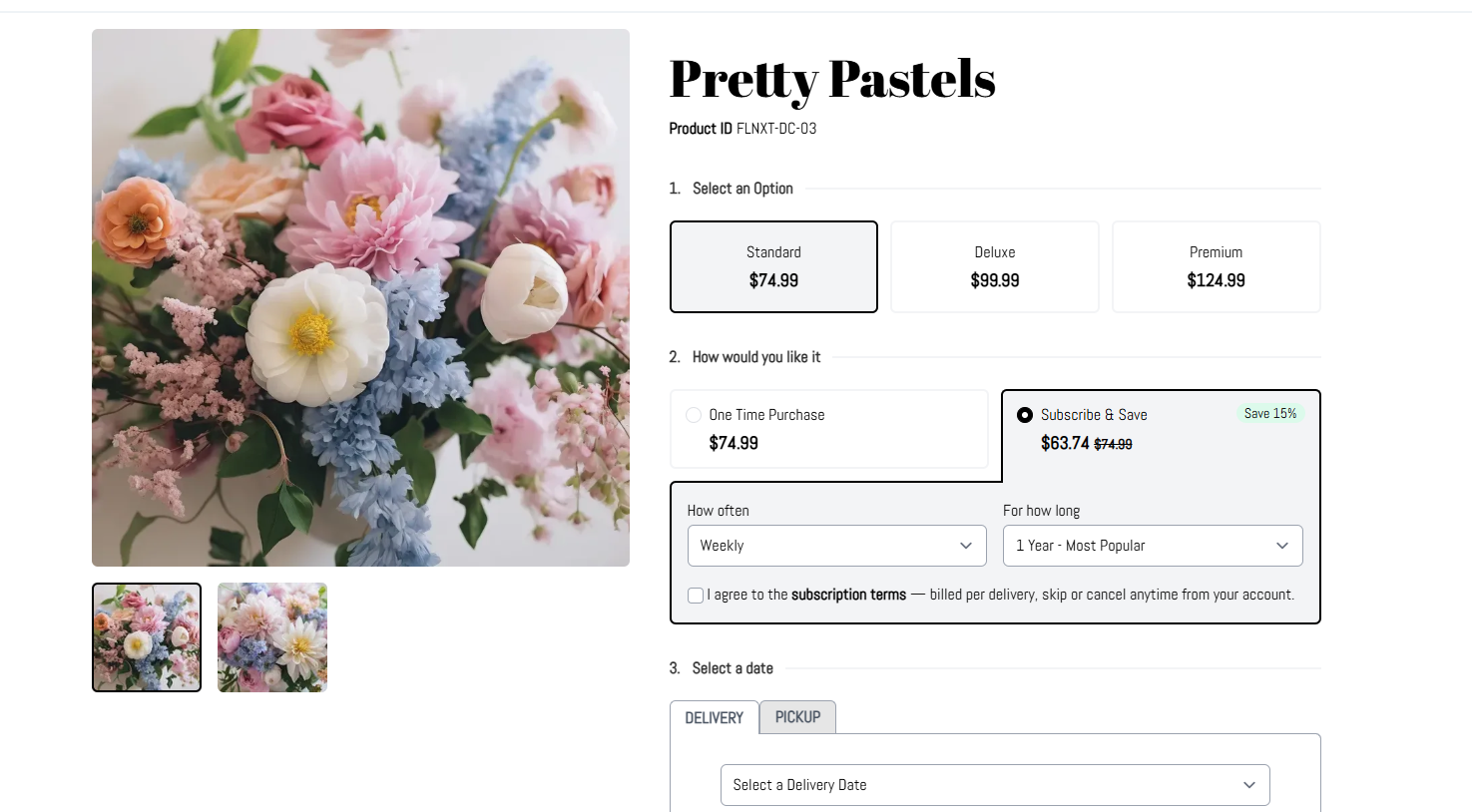
With Subscribe & Save selected, your customer will then be given the options to select the frequency and length of their subscription, view and agree to your subscription terms.
Frequently Asked Questions
What's the difference between this feature and subscription packages?
- This feature will allow for your customers to create subscriptions with any of the standard products you offer on your website, not just the Subscription Packages you currently offer. This also allows you to create more detailed products for subscription, while Subscription Packages can be more flexible, like a designer's choice product.
Can customers edit their subscriptions?
- Yes, your customer's can edit their subscriptions from their account dashboard on your website.
Why do customers need to create a login to purchase a subscription?
- This allows your website to save their payment information, and allows your customer to track their subscription after completing their order from their website login profile.
Are customers able to have add-on products on their subscription orders?
- Add-on products are not available on subscription orders as add-ons are more commonly requested for one-time purchase.
Where can I find more info subscription management?
- You can find more information around subscription management in this article.

