Marketing Popup

Jan 07, 2026
Floranext's new Marketing Popup feature gives you the ability to create a custom popup for customers on your website to inform them of upcoming sales/holidays.
Table of Contents:
Introducing Floranext's Marketing Popup feature for the home page. If you have an important message to share with customers visiting your site, use the Marketing Popup to make sure they never miss it.
- Promote holidays, sales, events or products on your home page
- Link to important pages, or highlight coupons on discounts
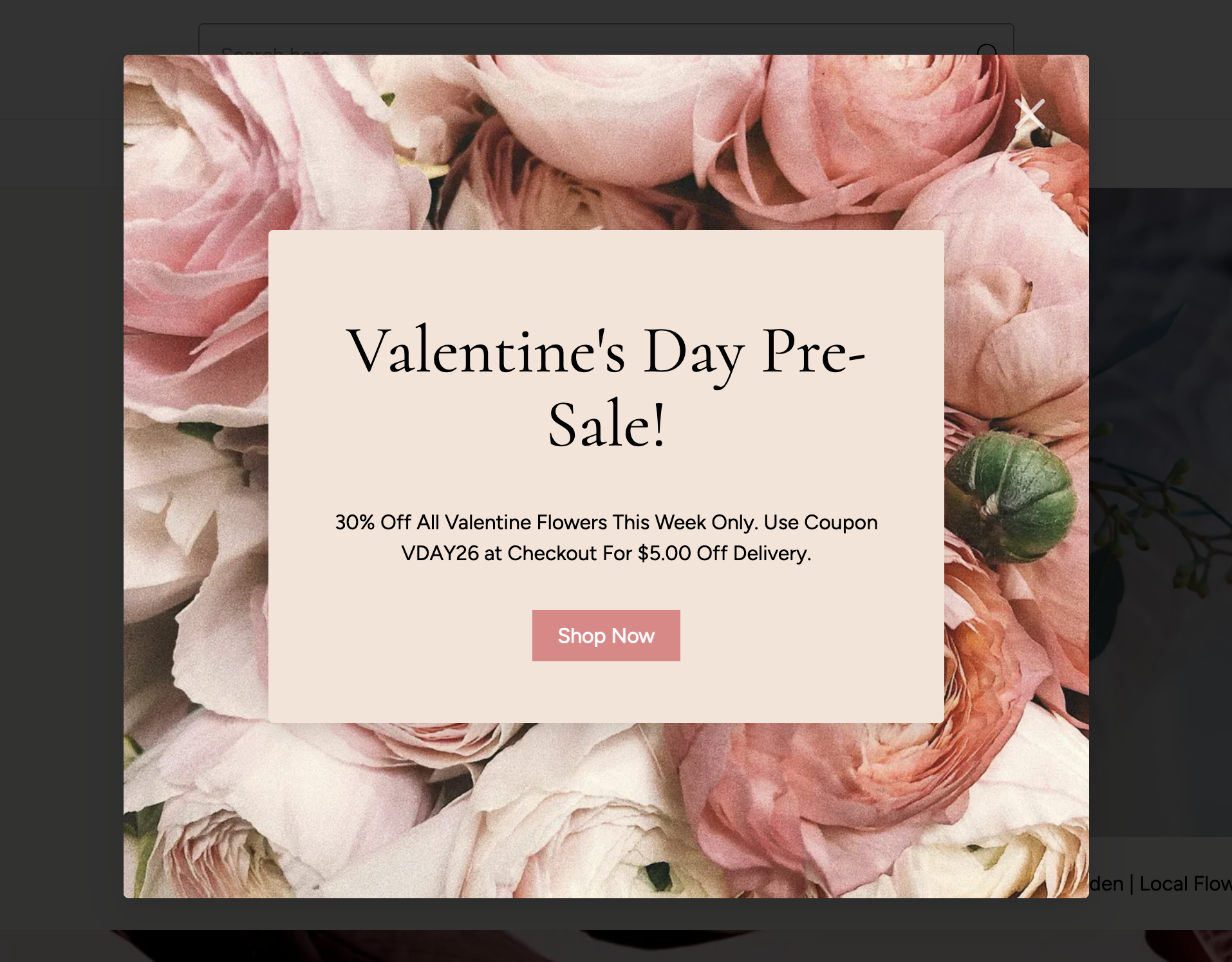
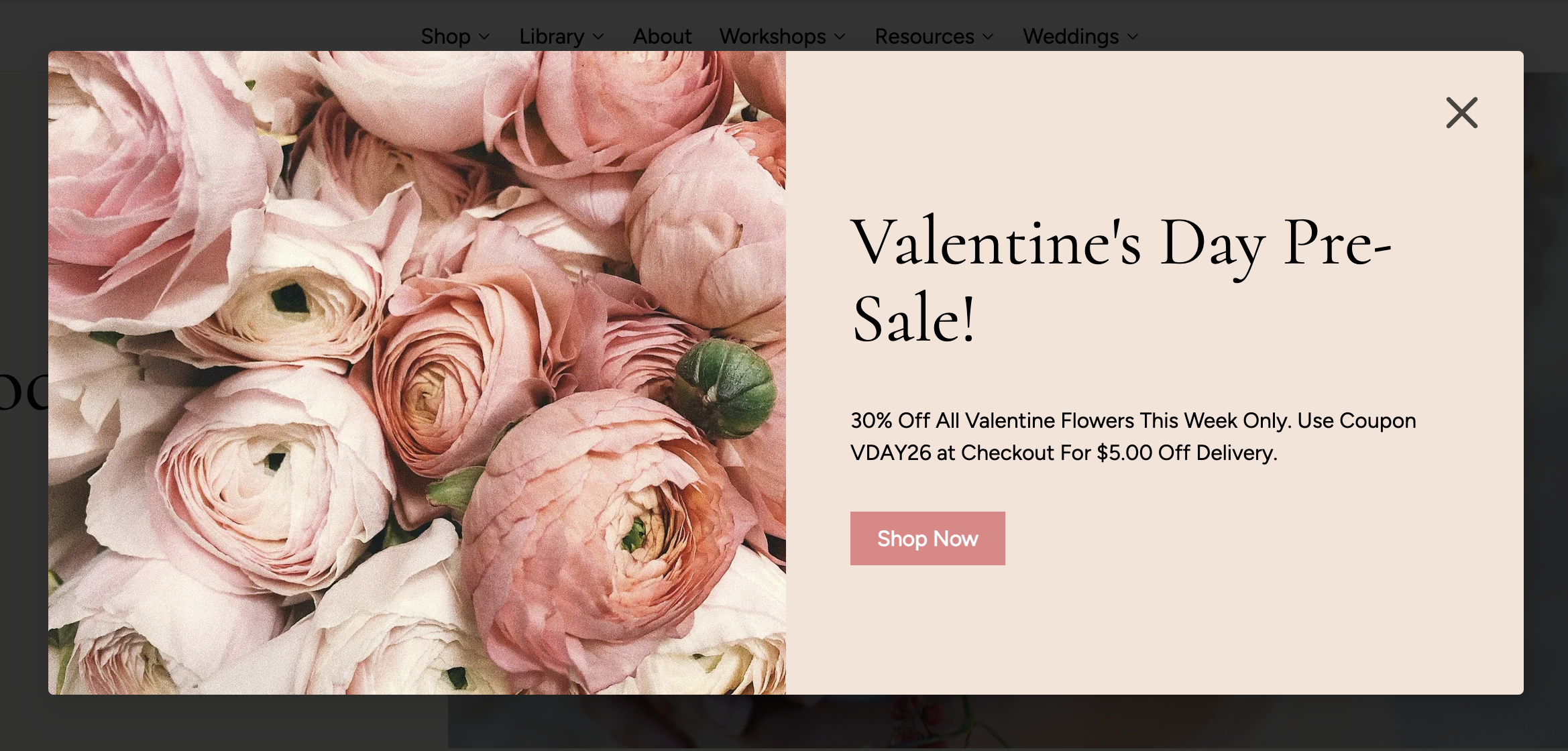
- Choose between a centered or left aligned layout
Center Aligned:
Left Aligned:
Notes:
- The Marketing Popup will only shows on your homepage
- If closed, it will not appear again for a few hours
- It should take a few seconds after scrolling or interacting with the home page for the popup to show.
- If a customer exits before you make an edit to your marketing popup, it will appear again after a page refresh so they won't miss your updated message.
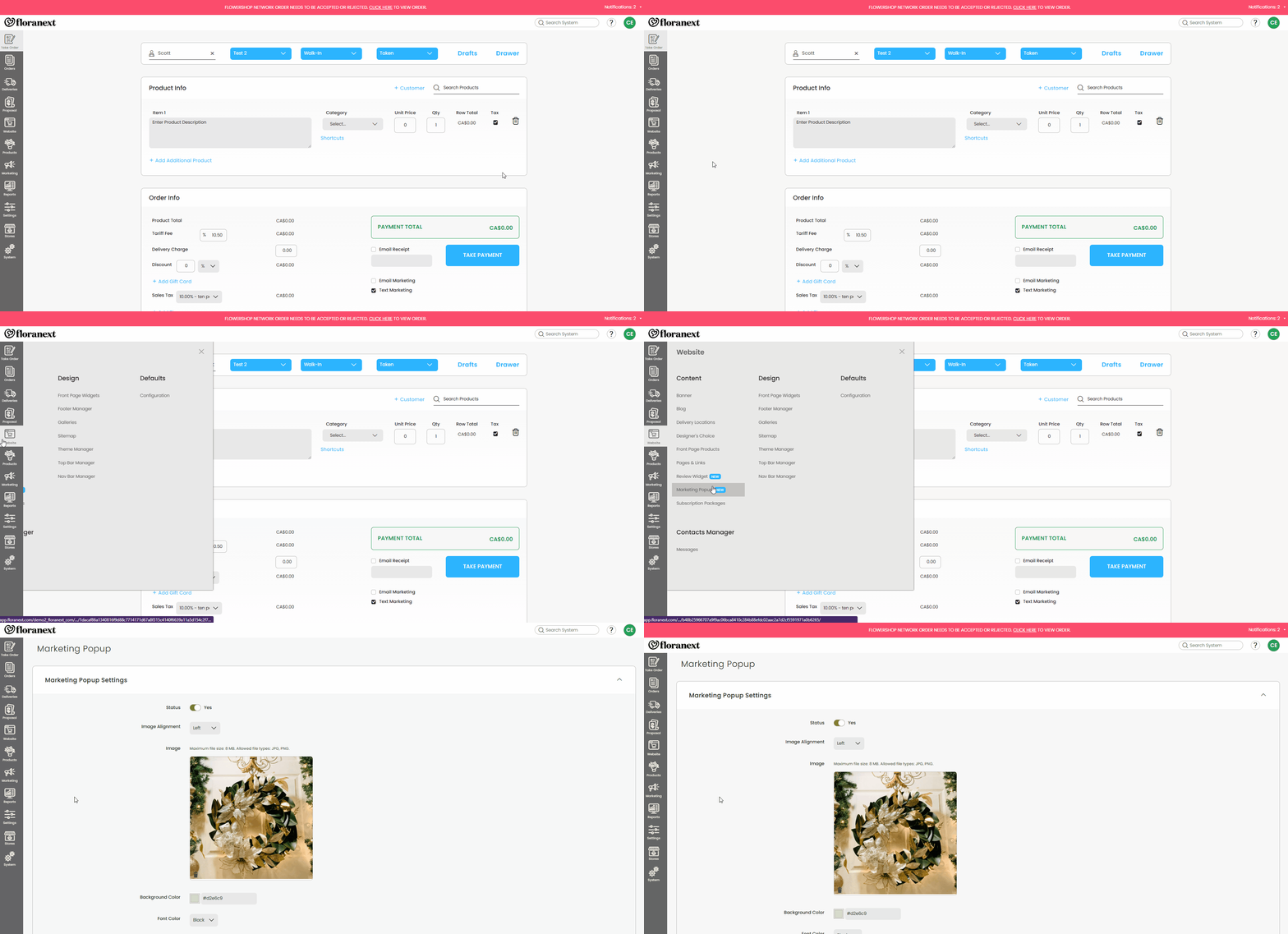
In order to set up your website's Marketing Popup you will need to go to Website > Content > Marketing Popup.
Note: The Marketing Popup feature is exclusive to the Floranext Premium Website Themes